A Quick Overview of Low-Code Automation Tools
If you read my last post on what to know before you automate, you know I'm a big believer in starting with the problem — not the tool. But at some point, you do have to pick a tool. And that's where things get overwhelming.
There are dozens of automation platforms out there. New ones launch every month. Some are simple, some are powerful, some are both. This post is meant to cut through the noise and give you a practical overview of the tools I actually use — and when I reach for each one.
Automation basics: triggers, actions, and data
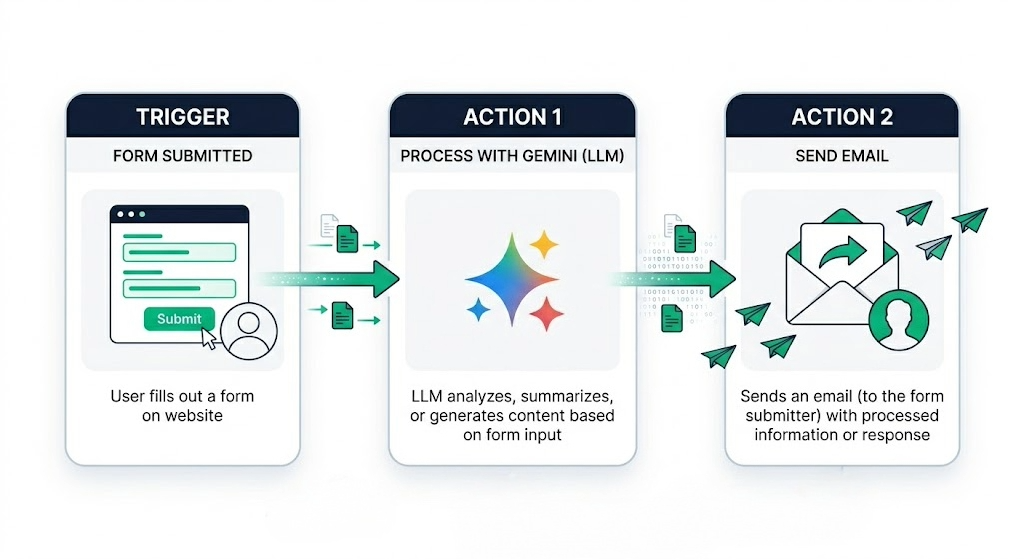
Before we get into specific platforms, here's the foundation every automation runs on. Every workflow — regardless of the tool — boils down to three pieces: a trigger (the event that kicks things off, like a form submission or an email arriving), the data it passes forward, and an action (what gets done in response — sending an email, updating a CRM, posting to Slack). Chain multiple actions together with logic in between (filters, conditions, branching), and you've got a workflow that runs entirely on its own. Trigger → Pass Data → Action.
If you're new to all of this, my Automation Basics: A Beginner's Guide walks through the same concepts in more detail — including how data actually moves between apps, the difference between API calls and webhooks, and where automations live.
The Big Three: Make.com, Zapier, and n8n
There are a lot of automation tools, but three platforms stand out for small-to-mid-sized businesses: Make.com, Zapier, and n8n. I use all three, and each has its sweet spot.
Make.com
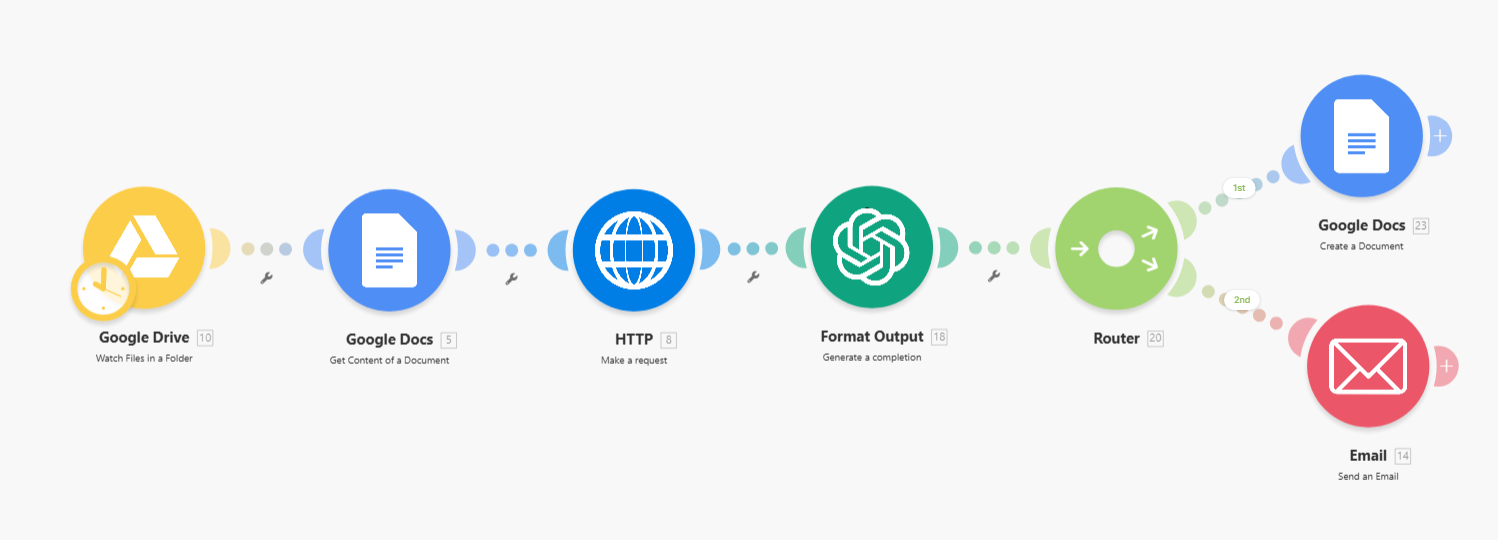
Make.com (formerly Integromat) is my go-to for most client work. The interface is visual — you build workflows by connecting modules on a canvas, and you can see exactly how data flows from one step to the next. It's intuitive in a way that's hard to explain until you try it.
What I like about Make is that even complex workflows stay readable. You can look at a scenario and understand what it does without clicking into every step. It supports branching, error handling, iterators, and routers — all visually. For someone who thinks in flowcharts, it just clicks.
Zapier
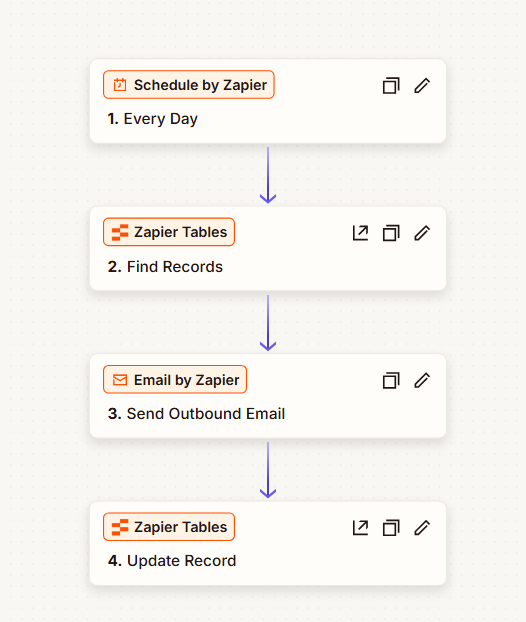
Zapier is the most well-known automation platform, and for good reason — it's incredibly easy to get started. If you want a simple "when this happens, do that" automation, Zapier gets you there fast. The setup is straightforward: pick a trigger app, pick an action app, map your fields, and you're done.
Where Zapier really shines is its app library. It connects to thousands of apps, and the integrations are generally reliable and well-maintained. For quick, linear automations — when an email arrives, save the attachment to Google Drive; when a form is submitted, add a row to a spreadsheet — Zapier is hard to beat.
n8n
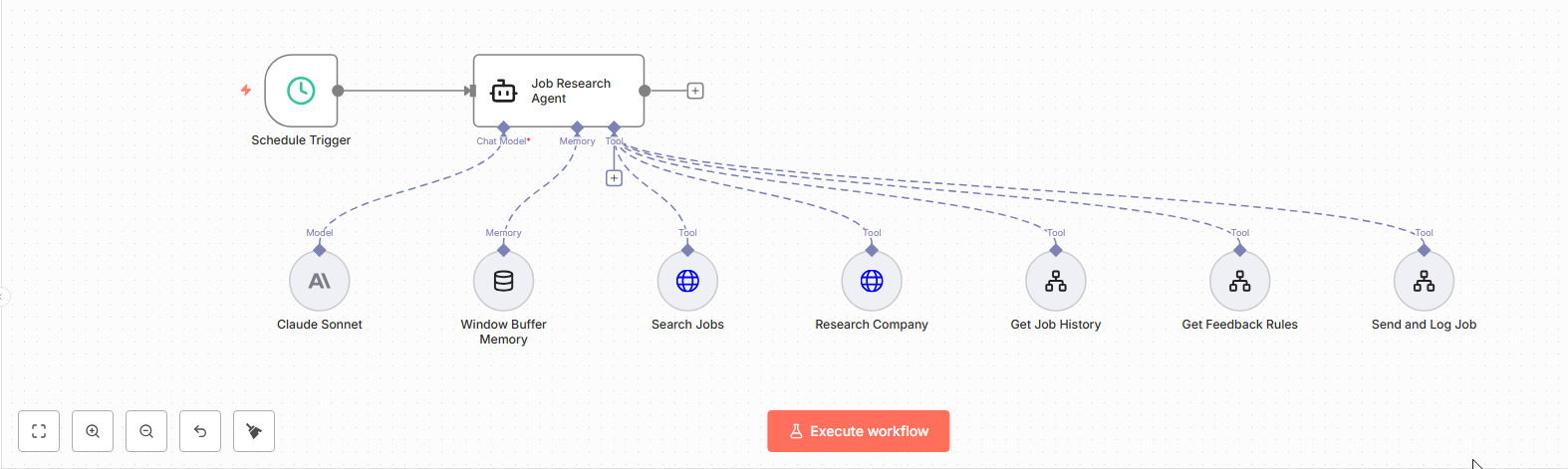
n8n is the platform I recommend for more technical users — especially if you're building AI agents or need more control over your workflows. It's open-source, self-hostable, and gives you access to things like custom code nodes, HTTP requests, and direct API calls alongside the visual builder.
The learning curve is steeper than Make or Zapier, but the ceiling is higher. If you want to build semi-autonomous agents that can make decisions, call APIs, process data, and take actions based on context — n8n is where I'd start. It's also significantly cheaper at scale since you can self-host it.
A Few Budget-Friendly Alternatives
The big three cover most of what I build, but if you're watching costs — or you want something you can self-host — a few other options are worth knowing:
- Pabbly Connect — flat pricing with unlimited workflows and no per-operation billing, which makes it popular with solopreneurs and lean teams running higher volumes.
- Pipedream — developer-friendly, with a generous free tier and the option to drop into code whenever you need it.
- Activepieces — open-source and self-hostable, with a clean, Zapier-style visual builder.
I don't reach for these as often as Make or Zapier, but if per-task pricing is giving you sticker shock or self-hosting matters to you, they're worth a look.
A Quick Note on Enterprise Tools
Make, Zapier, and n8n aren't the only game in town. If you're coming from a larger organization — or working with one — you've probably run into enterprise automation tools like:
- Microsoft Power Automate — built into the Microsoft 365 ecosystem
- Workato, Tray.ai, Boomi, and MuleSoft — enterprise integration platforms (iPaaS). Boomi and MuleSoft in particular are perennial Gartner leaders in this space.
- ServiceNow — IT service management with workflow automation
- Salesforce Flow — automation built directly into Salesforce
Most of these have aggressively added AI agent capabilities over the past year — Salesforce Agentforce, Microsoft Copilot Studio, ServiceNow's AI Agents. The lines between "automation tool" and "AI agent platform" are blurring fast.
These tools are often bundled into platforms you're already paying for, or they're purpose-built for specific enterprise workflows. They're powerful, but they tend to come with more complexity, higher costs, and longer implementation timelines. For most small businesses, the big three I covered above are more than enough. But if your organization already runs on Microsoft 365 or Salesforce, it's worth checking what automation is already built into your stack before adding another tool.
Comparison: Make.com vs. Zapier vs. n8n
Here's how I'd break down the strengths and trade-offs:
| Make.com | Zapier | n8n | |
|---|---|---|---|
| Best for | Visual workflows, mid-complexity automations | Quick trigger-action automations | Technical users, AI agents |
| Ease of use | Moderate — visual and intuitive once you learn it | Easy — fastest setup for simple automations | Steeper — more powerful but more to learn |
| Visual builder | Excellent — flowchart-style canvas | Good — linear step-by-step view | Excellent — node-based canvas |
| App integrations | 3,000+ | 8,000+ | 500+ built-in, plus custom API calls |
| Pricing | Affordable — generous free tier | Most expensive of the three | Free (self-hosted) or affordable cloud |
| AI/Agent support | Growing — AI modules available | AI features built in | Strong — great for building AI agents |
| Self-hosting | No | No | Yes |
| Best analogy | A visual flowchart builder | A smart to-do list for your apps | A developer's workbench |
My Take: When I Use Each
Here's how I think about it in practice:
Make.com is my default. When a client needs a workflow that's more than a simple trigger-action — something with branching logic, multiple steps, error handling — I build it in Make. The visual canvas makes it easy to explain to clients what their automation does, which matters a lot when you're handing something off.
Zapier is what I reach for when speed matters more than complexity. Need to connect two apps with a simple trigger? Zapier gets you there in five minutes. It's also the platform I recommend to clients who want to manage their own simple automations — the interface is just easier to pick up without training.
n8n is where I go when I need power and flexibility. Building an AI agent that researches leads, drafts outreach, and logs everything to a CRM? That's n8n territory. If you're technical and comfortable with APIs, n8n gives you more control than the other two — at a fraction of the cost.
But here's the thing — you can build the same automations across all three platforms. The differences come down to what feels intuitive to you, which platform is cost-effective for your volume, and which platform your team or organization already uses. Standardizing on one platform within your organization keeps things simple — shared integrations, consistent patterns, easier handoffs.
Claude Cowork: A Different Approach to Automation
Everything I've covered so far requires you to go into a platform, learn the interface, and build workflows step by step. That's fine once you're comfortable with it — but there's a faster way to get started.
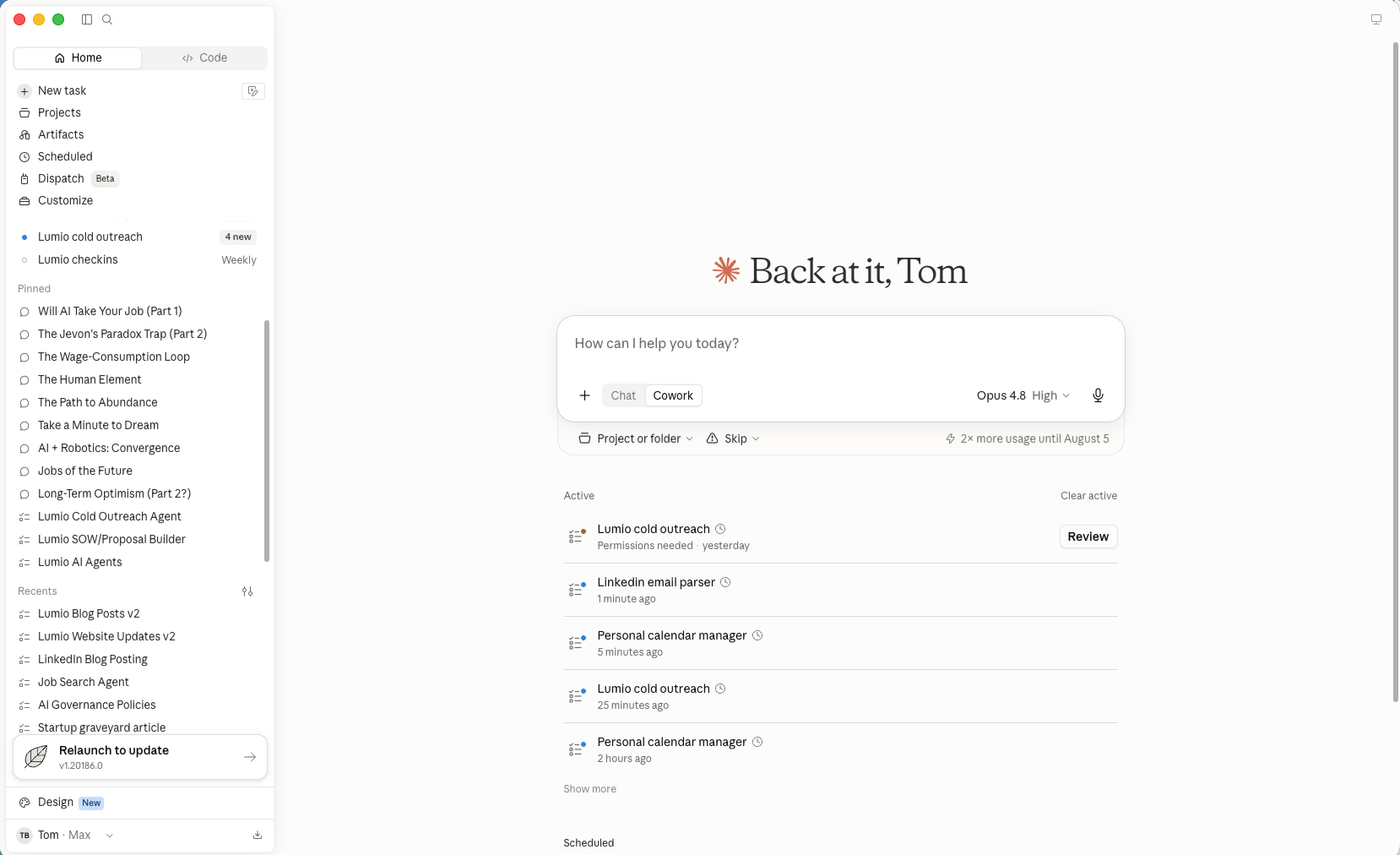
Claude Cowork takes a different approach. Instead of dragging and dropping modules on a canvas, you just describe what you want to accomplish in plain language. Want to organize files every morning? Summarize your emails at the end of the day? Pull data from a spreadsheet and draft a report? Just type it in and set up a recurring Task.
For a lot of the day-to-day automation that small businesses need, this is honestly faster and easier than building a traditional automation workflow. You don't need to learn a new platform. You don't need to map out triggers and actions. You just tell Claude what you need, and it handles the rest.
The Power Move: Claude Cowork + Automation Tools
Here's where it gets really interesting. Claude Cowork doesn't just handle simple tasks — it can integrate with Make.com, Zapier, and n8n as part of its toolbox. That means Claude can use these automation platforms on the backend to build more complex workflows — without you having to go in and manually configure them.
Think about that for a second. Instead of spending an hour learning how to connect five apps in Make.com, you can describe what you want to Claude Cowork, and it can literally build the automation for you. You tell it what you're trying to accomplish, it creates the workflow, and you nurse it to production — testing, tweaking, and refining until it's exactly right.
This is a real shift in how automation works. The barrier used to be "Can I figure out how to build this?" Now it's just "Can I describe what I want?" And if you can describe it, Claude can build it.
Wrapping Up
There's no shortage of automation tools — and that's actually a good thing. More options means you can find what fits your workflow, your budget, and your team. Here's what I'd take away:
Choose the platform that feels intuitive and cost-effective for you. Don't pick a tool because it's trendy — pick it because it makes sense for what you're building.
Standardize within your organization. If your team is on Zapier, don't introduce Make.com for one workflow. Consistency makes everything easier — shared knowledge, shared integrations, easier troubleshooting.
Start simple. Pick one repetitive task and automate it. Get comfortable with how triggers and workflows run before tackling anything complex. I talk more about this in my post on what to know before you automate.
Use an LLM to learn. If you're unsure how to start or what's possible, type your question into your favorite LLM and have it walk you through the process. Seriously — this is one of the best ways to learn automation in 2026.
When you're ready, move to Claude Cowork. Once you understand the basics of how automations work, Claude Cowork can take the heavy lifting off your plate. Describe what you want, set up a Task, and let Claude build and manage your workflows.
Want to Go Deeper?
If any of this sparked ideas — or if you're looking at your current processes and thinking "this could definitely be automated" — I'd love to chat. Book a free 30-minute consultation and we'll walk through your specific situation, figure out which tools make sense, and map out a plan to get you started.